
Defender Phone Mount — A Better Setup Using the A-Pillar Grab Handle
Why phone mounts on the L663 are surprisingly hard
The Defender's interior is intentionally simple — exposed bolts, structural grab handles, magnesium beams. It's a feature of the design. But that same design makes it difficult to find a good aftermarket phone mount.
The two most common solutions sold for the L663 are both compromises:
- Dash-clipped holders that wedge or pinch into the soft dash material — they hold position but rely on pressure against trim that's already known to mark and stain
- Screen-fixed clips that bolt to the side of the Pivi Pro display — fixed location, blocks part of the screen, can't be moved
What you actually want is a mount you can position anywhere, move easily, remove entirely when you don't need it, and that doesn't touch anything you'd rather not touch.
After living with both store-bought options and being unimpressed, I built a setup using two off-the-shelf camera accessories and the A-pillar grab handle the Defender already has. Total cost: ~$40. Total install time: about a minute.
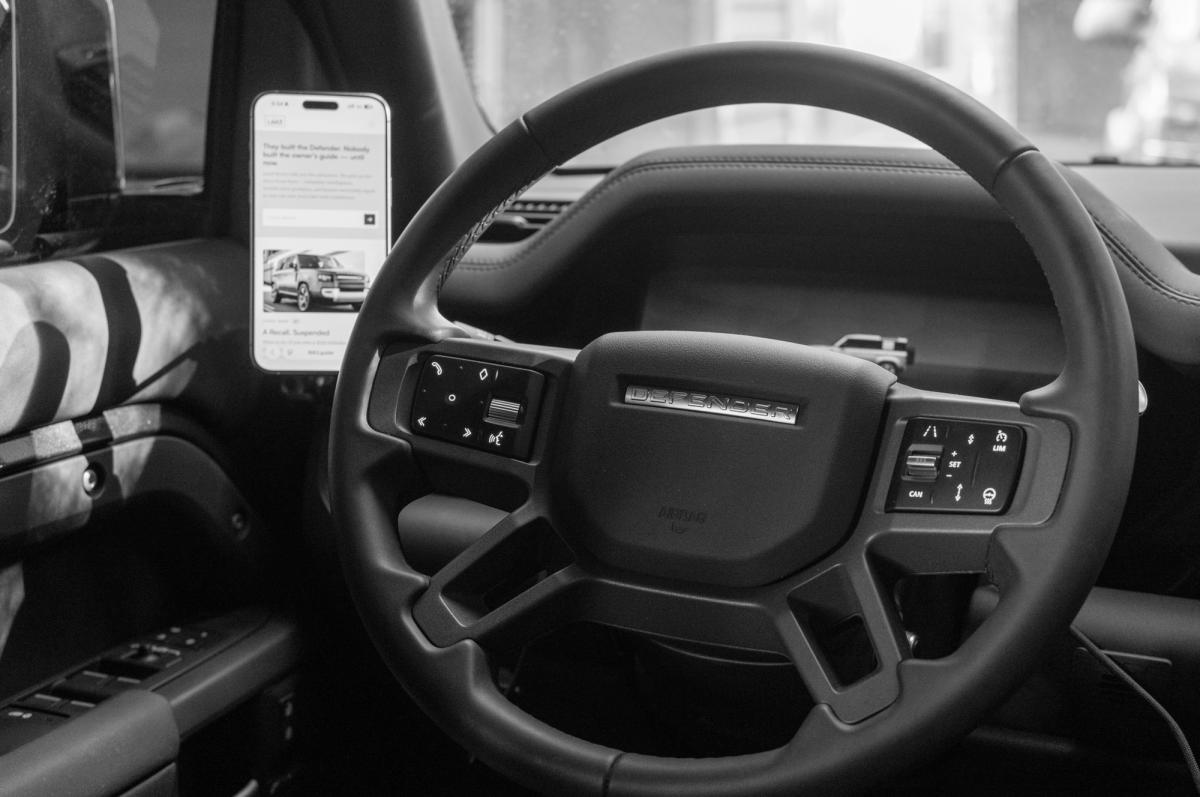
The setup
Two parts:
- ULANZI Super Clamp with Double Ball Head Magic Arm — a heavy-duty CNC-anodized aluminum alloy camera clamp with both 1/4"–20 and 3/8"–16 female threads. Maximum jaw opening is 60mm (2.3"), maximum load 1.5 kg (3.3 lb). A dense rubber pad lines the clamp area to prevent scratches. Designed for mounting cameras and monitors to railings, rods, and bars — the L663's A-pillar grab handle fits easily inside its 60mm jaw.
- ULANZI MA07 Magnetic Phone Tripod Mount for MagSafe — a 54g aerospace-grade aluminum mount with a built-in MagSafe-compatible magnet ring, a 1/4" screw mount, and a cold shoe base. It threads directly into the end of the Super Clamp's magic arm via the 1/4"–20 thread.
Snap them together and you have a fully adjustable magnetic phone holder that clamps onto the driver's side A-pillar grab handle. The phone snaps on and off magnetically. The double ball-head arm lets you angle the mount in any direction. The MA07's 180° Z-axis rotation and foldable design lets you switch between portrait and landscape, or tilt the phone independently of the arm position.
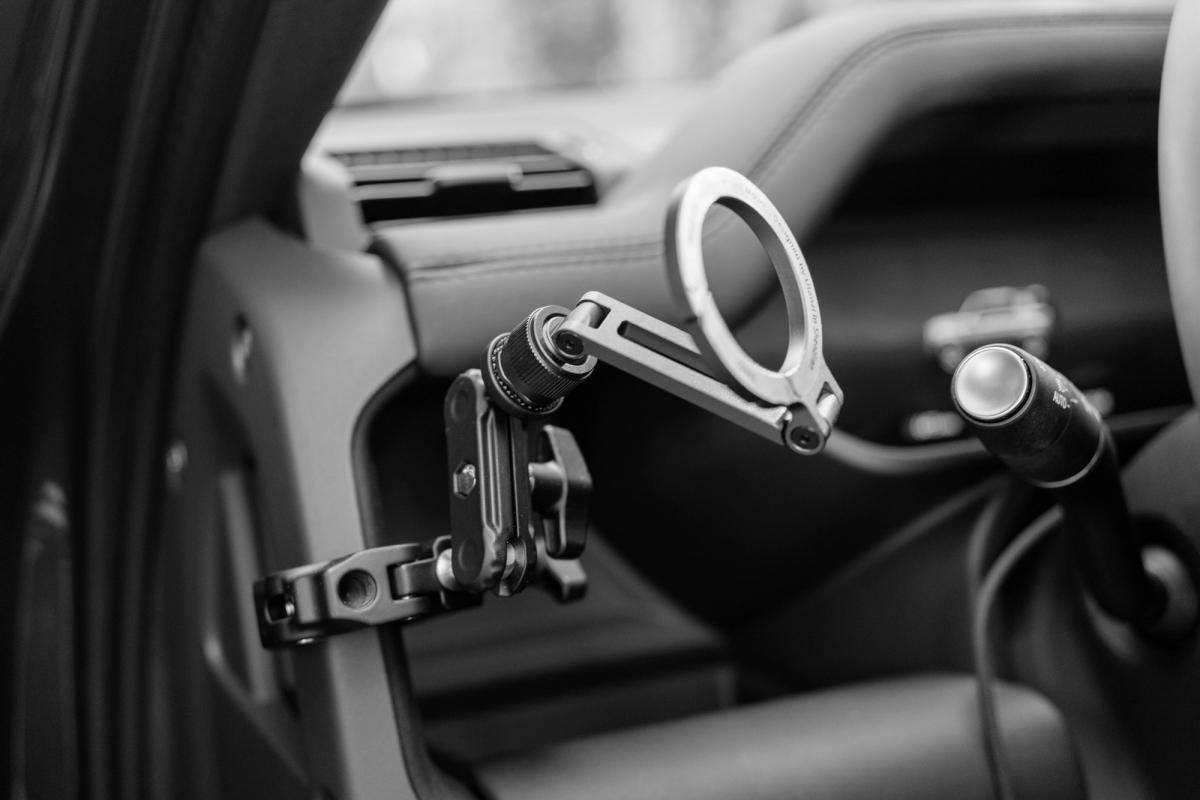
Why the A-pillar grab handle works
The grab handle is structural, fixed, and already designed to take human weight pulling on it. A camera clamp with a phone — total weight around 250g loaded — is well within its load limit and well within the Super Clamp's 1.5 kg rating. You're not modifying the handle. You're using it as the mounting point it already is.
The clamp's 60mm jaws close completely around the handle, and the rubber pad keeps it from marking the surface. Once the screw is tightened, it doesn't move.
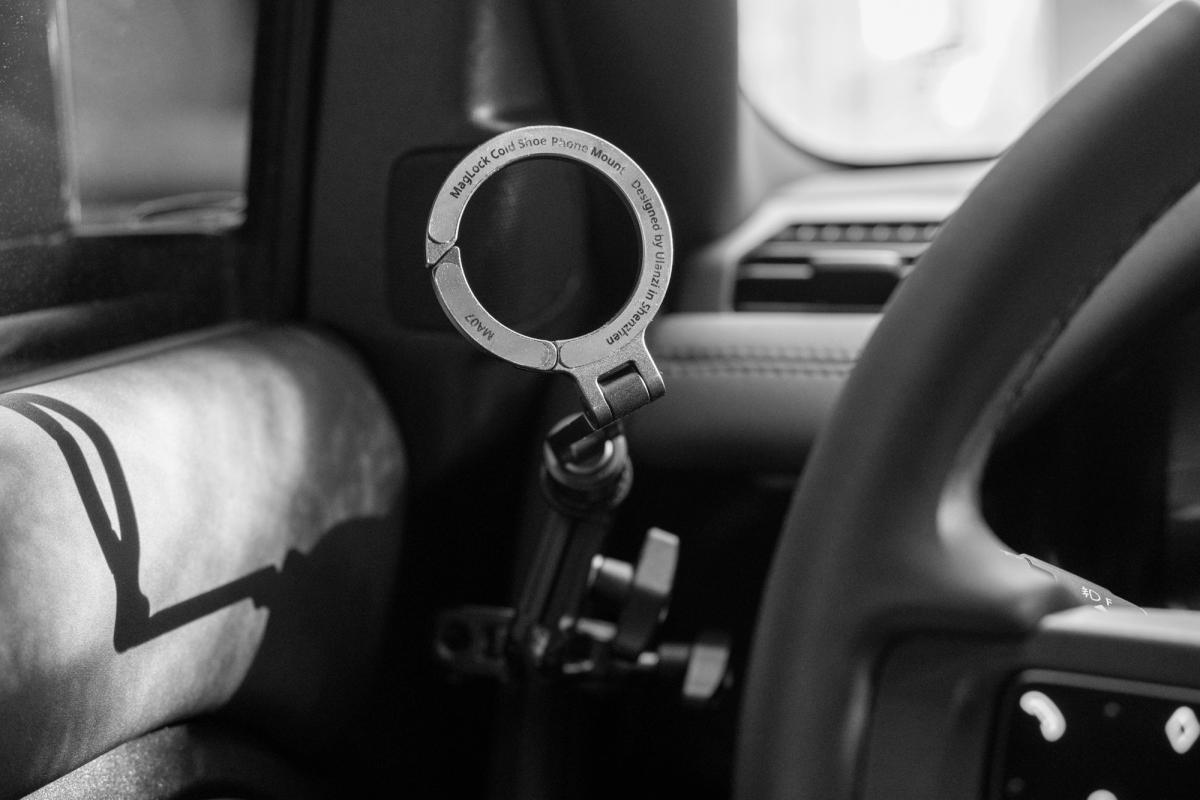
Phone compatibility
The MA07 is officially compatible with the iPhone 12, 13, 14, 15, 16, and 17 series — both Pro and standard models. It also works with any MagSafe-compatible case.
Ulanzi explicitly notes that the mount is not compatible with non-MagSafe cases or devices without MagSafe functionality. For Android phones or older iPhones, you'd need to add a stick-on metal ring or magnetic adapter to the back of the phone or case. These are widely available and add a few dollars to the build, but it's worth knowing it's not plug-and-play for non-MagSafe phones.
Installation
There is no installation. That's the point.
- Open the Super Clamp jaws wide enough to fit around the A-pillar grab handle
- Position it where you want it on the handle
- Tighten the clamp screw down until snug
- Thread the MA07 magnetic mount onto the magic arm's 1/4" end
- Adjust the ball joints to angle the mount toward the driver
- Snap your phone on
To remove it, reverse the process. The clamp leaves no marks. The handle is unaffected.
Charging
The magnetic mount is wireless-charging compatible if you use a MagSafe charger with it, but the simpler approach (and what I use) is to run a USB-C cable from the port in the open shelf below the shifter, up over the dash, and into the phone. Not always necessary — a fully charged phone handles a full day of navigation and music control without needing a cable.
If you want a cleaner cable run, the small storage cubby just forward of the shifter is usually empty and works as a hidden cable channel.
Real-world use
Most of the time, CarPlay handles what I need. The phone mount is for the things CarPlay isn't great at — sometimes Spotify is just easier to navigate on the phone, and certain apps don't have CarPlay equivalents at all.
A note on safety: this guide is about mounting hardware, not about phone use. Don't interact with your phone while driving — that's true regardless of how it's mounted. Keep the screen as a reference for things you've set up before pulling away, or use it when stopped.
Holding power on rough roads
Ulanzi calls the MA07's magnet system "Maglock" and rates it for use in outdoor and travel scenarios. In practice, it holds an iPhone firmly through normal driving and rougher terrain. Speed bumps, gravel transitions, washboard surfaces — the phone stays put. The clamp is the rigid anchor; the magnet absorbs the vibration without releasing the phone.
That said, if you're doing serious off-road work with full suspension articulation and the cabin bouncing hard, I'd still take the phone off and put it somewhere enclosed before you start the section.
Movability
One of the reasons I prefer this setup over the fixed alternatives is that the clamp can attach to many different points in the cabin, not just the driver's A-pillar grab handle. Other tested locations include:
- Passenger A-pillar grab handle (for navigator/co-pilot use)
- Rear grab handles (for rear-seat passengers, kids' content)
- Cargo area tie-down points (for using the phone as a video monitor or timelapse camera)
The double ball-head magic arm lets you reposition the mounted phone without moving the clamp itself, and the foldable MA07 lets you change the phone's orientation without touching either.
Drawbacks
Honestly, very few:
- Cable management — if you want to charge while driving, the USB-C cable runs across the open area in front of the shifter. Not elegant. Acceptable if charging isn't constant.
- Look — it's a camera accessory mounted to a car. It looks utilitarian, not OEM. If you want an integrated factory aesthetic, this isn't that.
- Airbag awareness — the L663's side curtain airbag deploys from the headliner along the roof rail, dropping vertically along the side window. The A-pillar grab handle is mounted to the A-pillar trim, not in the curtain's deployment path. That said, you should always check your owner's manual for the exact deployment zones on your model year, and avoid placing accessories anywhere that could interfere with airbag deployment. Use your own judgement — if something feels too close, it is.
What I'd buy again
This setup. The store-bought Defender-specific phone holders look more "designed" for the car, but I've yet to find one that doesn't either touch the dash material I'd rather leave alone or lock me into a single position. The two ULANZI parts together are about $40, take a minute to install, and can be moved or removed without leaving a trace.
Modifications may affect your vehicle warranty. Consult your dealer or a qualified independent mechanic before proceeding. The L663 does not accept responsibility for outcomes arising from modifications described here.
Last updated: April 8, 2026